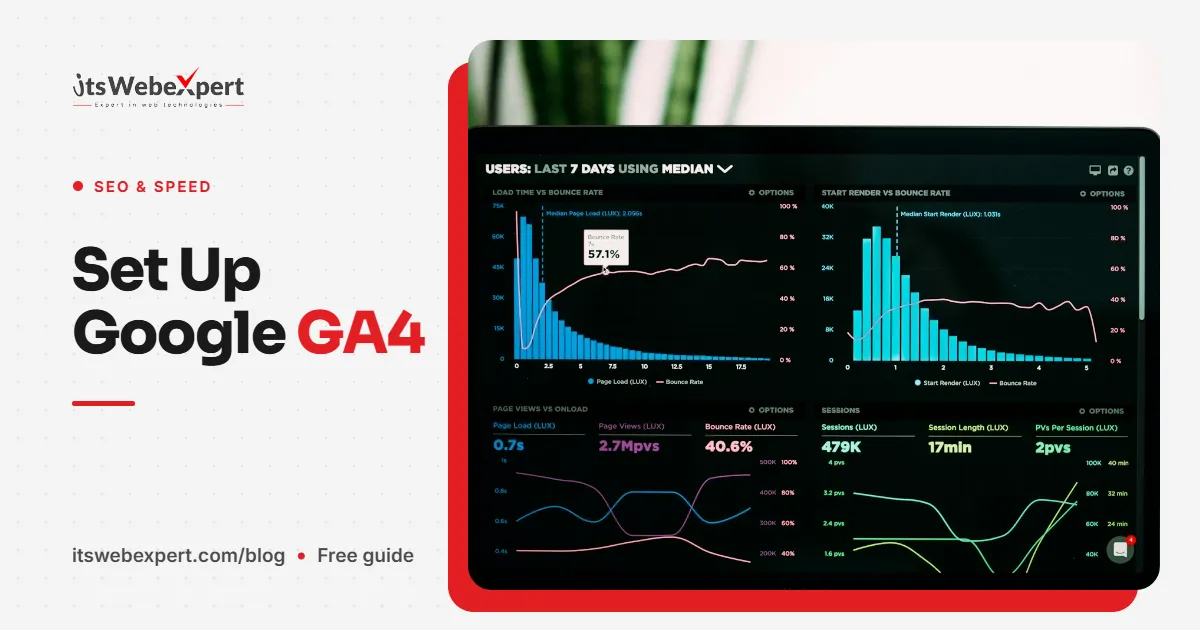
To set up Google Analytics 4 (GA4), create a GA4 property, add a web data stream for your domain, and install the Google tag (a measurement ID starting with G-) on every page, either directly, through Google Tag Manager or with a plugin such as Site Kit. Then turn on enhanced measurement, mark your enquiries and sales as key events, raise data retention to 14 months, filter out your own visits and link Search Console. Also, this guide walks through each step and shows how to track WhatsApp clicks, form submissions and phone calls. In addition, this guide explains GA4 setup step by step.
- Install the tag once. Duplicate tags double-count page views.
- Change data retention from 2 months to 14 months straight away; it does not apply backwards.
- Mark the actions that matter, such as form submits and WhatsApp clicks, as key events.
- Link Search Console so you can see search queries next to on-site behaviour.
Step 1: Create the account, property and data stream
- Go to analytics.google.com and sign in with a Google account the business owns, not a freelancer's personal account.
- Open Admin → Create → Property. Set the time zone to Pakistan (GMT+5) and currency to PKR so reports match your business day.
- Choose Web as the platform and enter your domain to create a data stream.
- Copy the Measurement ID (looks like
G-AB12CD34EF).
Step 2: Install the Google tag
Choose one method:
| Method | Best for |
|---|---|
| Direct gtag.js snippet | Custom-coded sites with a shared header template |
| Google Tag Manager | Sites that need many tags (Meta Pixel, Google Ads, events) managed without code changes |
| Site Kit by Google or an SEO plugin | WordPress sites without a developer |
The direct snippet goes immediately after the opening <head> tag on every page:
<script async src="https://www.googletagmanager.com/gtag/js?id=G-AB12CD34EF"></script>
<script>
  window.dataLayer = window.dataLayer || [];
  function gtag(){dataLayer.push(arguments);}
  gtag('js', new Date());
  gtag('config', 'G-AB12CD34EF');
</script>
Verify it with Reports → Realtime: open your site in another browser and you should appear within a minute. The free Tag Assistant extension also confirms the tag fires once.
Step 3: Check enhanced measurement
In Admin → Data streams → your stream, enhanced measurement automatically tracks page views, scrolls (90 percent depth), outbound clicks, site search, video engagement and file downloads. Leave it on, but check that "Form interactions" does not create noisy events on your site; it is often inaccurate with custom forms.
Step 4: Fix the important settings
- Data retention: Admin → Data collection and modification → Data retention → set event data to 14 months. The default is 2 months, which limits exploration reports.
- Internal traffic: Admin → Data streams → Configure tag settings → Define internal traffic. Add your office IP, then activate the "Internal Traffic" data filter under Data filters.
- Unwanted referrals: add payment gateways (for example your JazzCash or card processor domain) so returning buyers are not counted as new referral visits.
- Google signals: optional; enables cross-device reporting with thresholds on small sites.
Step 5: Track enquiries as key events
Google renamed "conversions" to key events in 2024. In fact, for a service business, the key events are usually form submissions, WhatsApp clicks and phone taps. Send a custom event when they happen:
// After your form is successfully submitted
gtag('event', 'generate_lead', { form_name: 'contact', value: 1, currency: 'PKR' });

// WhatsApp and phone links
document.addEventListener('click', (e) => {
  const a = e.target.closest('a[href]');
  if (!a) return;
  if (a.href.includes('wa.me') || a.href.includes('api.whatsapp.com')) {
    gtag('event', 'whatsapp_click', { link_url: a.href });
  } else if (a.href.startsWith('tel:')) {
    gtag('event', 'phone_click', { link_url: a.href });
  }
});
Then in Admin → Events, find each event after it has fired once and toggle Mark as key event. For stores, WooCommerce and Shopify integrations send the recommended ecommerce events (view_item, add_to_cart, begin_checkout, purchase) automatically.
Step 6: Link Search Console and Google Ads
In Admin → Product links, link Search Console to see queries and landing pages inside GA4, and link Google Ads so key events can be imported as conversions for bidding. If you have not set up Search Console yet, follow our Search Console guide.
GA4 setup: consent and privacy
If you have visitors from the EU or UK, Google requires Consent Mode v2 with a consent banner for ads features. For a Pakistan-only audience it is still good practice to have a clear privacy policy that mentions analytics.
GA4 setup: the reports worth checking monthly
- Acquisition → Traffic acquisition: where visitors come from (organic search, social, direct, referral).
- Engagement → Pages and screens: which pages get views and engagement time.
- Engagement → Landing page: which entry pages bring key events.
- Key events by source: which channels actually bring enquiries, not just visits.
Common GA4 setup mistakes
- Installing the tag twice (theme plus plugin), which doubles page views and halves bounce-like metrics.
- Leaving the property on a developer's personal Google account.
- Forgetting data retention until old data is gone.
- Marking page views of the contact page as a key event instead of the actual submission.
GA4 setup: frequently asked questions
GA4 setup: is Google Analytics 4 free?
Yes. The standard version is free; GA4 360 is a paid enterprise version.
Does GA4 slow down my website?
Slightly. The tag loads asynchronously, so the effect is small, but many extra tags through Tag Manager can affect INP.
Why do GA4 numbers differ from Search Console?
Search Console counts clicks in Google; GA4 counts sessions that loaded the tag. Ad blockers, consent refusals and slow pages create gaps.
Related guides: Local SEO in Pakistan, Why Is My Website Not Showing on Google? 10 Causes and Fixes, How to Add Google Maps to Your Website (Free and Step by Step).
Want tracking set up properly?
We set up GA4, Tag Manager and conversion tracking for Google Ads and social campaigns, so you know which channel brings real enquiries. Contact us.
Written by the ItsWebExpert team, a web design and development company in Karachi building websites, online stores and apps for businesses across Pakistan.
Ask a Question on WhatsApp