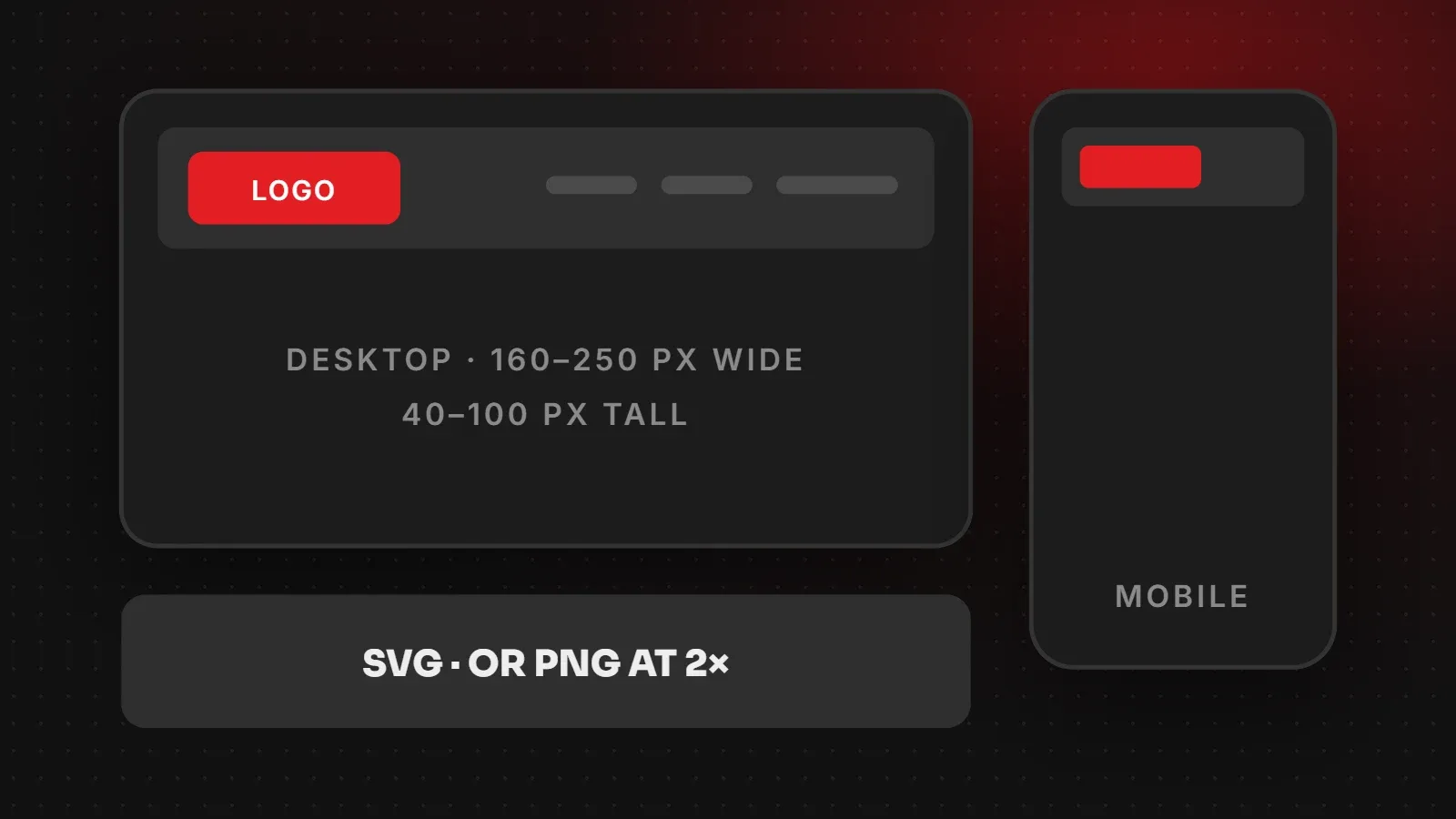
There is no single correct logo size for a website, because logos come in different shapes. As a guide, most website headers show the logo about 160 to 250 pixels wide and 40 to 100 pixels tall on desktop, and smaller on mobile. Upload it as an SVG if you can. Otherwise, export a PNG or WebP at twice the display size (for example 500 x 200 for a 250 x 100 logo) so it stays sharp on retina screens, and keep the file under about 20 KB.
- Size the logo for the space it fills in your header, not as large as possible.
- SVG stays sharp at every size and is usually the smallest file.
- Have a compact logo version for mobile headers and a square icon for favicons and social media.
Logo size for website: quick chart
| Logo shape | Display size on desktop | Export size (PNG/WebP at 2x) |
|---|---|---|
| Wide (horizontal) | about 250 x 60 px | 500 x 120 px |
| Medium (wordmark with icon) | about 200 x 80 px | 400 x 160 px |
| Square or round | about 80 x 80 px | 160 x 160 px |
| Mobile header | about 120 to 160 px wide | Same file, scaled down |
| Favicon / app icon | Square icon only | See our favicon guide |
Your theme or builder may set a maximum logo width or height. Check its settings, then export the logo at double that size.
How big should a header logo be?
A header logo should be easy to read without crowding the menu. If it is too small, people cannot recognise the brand. If it is too large, it pushes your main message down the page and makes the header tall on mobile. In most layouts, a logo between 40 and 100 pixels tall works well.
Keeping your logo sharp on retina screens
Modern phones and laptops have high-density screens that use two or three physical pixels for every pixel in your design. A PNG exported at exactly 250 x 100 can look slightly soft on these screens. Therefore export at 2x (500 x 200) and let the website show it at 250 x 100. An SVG logo avoids this problem completely, because it is made of shapes rather than pixels.
Best file format for a website logo
| Format | When to use |
|---|---|
| SVG | Best choice for most logos: sharp, small, scales to any size |
| PNG | When SVG is not supported; keeps transparent backgrounds |
| WebP | Smaller than PNG with transparency, supported by modern browsers |
| JPG | Avoid for logos: no transparency and blurry edges |
See our JPG vs PNG vs WebP guide for more on formats.
Logo versions every website needs
- Main logo for the desktop header.
- Compact logo for mobile, often just the icon plus a short name.
- Light version for dark backgrounds, such as a dark footer or hero image.
- Square icon for the favicon and social profiles. See our favicon size guide.
How to change the logo size in WordPress
- Go to Appearance > Customize > Site Identity and upload your logo.
- Many themes include a "Logo width" or "Logo height" slider in the same panel.
- If your theme uses Elementor, edit the header template and set the image width there.
- Check the result on a phone, then adjust the mobile size separately if your theme allows it.
Frequently asked questions
What size should a logo be for a website?
Usually 160 to 250 pixels wide and 40 to 100 pixels tall in the header. Export at twice that size, or use SVG.
Why does my logo look blurry on my website?
It was probably exported at the exact display size or as a JPG. Use an SVG, or a PNG/WebP at 2x the display size.
What is the best format for a website logo?
SVG for sharpness and small size. Use PNG or WebP with transparency if SVG is not possible.
How big should a logo file be?
Ideally under 20 KB. SVG logos are often just a few kilobytes.
Need a logo that works everywhere?
Our branding and creative team designs logos with header, mobile, light and icon versions, and our responsive web design team sets them up so they look sharp on every screen. Browser support details for SVG are on MDN Web Docs.
Written by the ItsWebExpert team, a web design and development company in Karachi building websites, online stores and apps for businesses across Pakistan.
Ask a Question on WhatsApp