robots.txt is a small text file at yourdomain.com/robots.txt that tells search engine crawlers which parts of your site they may or may not crawl. It is useful for keeping bots out of admin areas, search result pages and other low-value URLs. However, robots.txt does not hide pages from Google search results; to keep a page out of search, use a noindex tag instead. This guide explains the syntax, gives safe examples and shows how to test your file.
- robots.txt controls crawling, not indexing.
- A single wrong line, such as
Disallow: /, can block your whole site. - Add your sitemap address to robots.txt so all search engines can find it.
robots.txt syntax in plain language
| Line | Meaning |
|---|---|
User-agent: * | The rules below apply to all crawlers |
User-agent: Googlebot | The rules below apply only to Google's crawler |
Disallow: /private/ | Do not crawl anything in the /private/ folder |
Allow: /private/info.html | Exception: this file may be crawled |
Sitemap: https://... | Where to find your XML sitemap |
The file must be called exactly robots.txt, in lowercase, and sit in the root folder of your domain.
Safe robots.txt examples
Allow everything (simplest)
User-agent: *
Disallow:

Sitemap: https://yourdomain.com/sitemap.xml
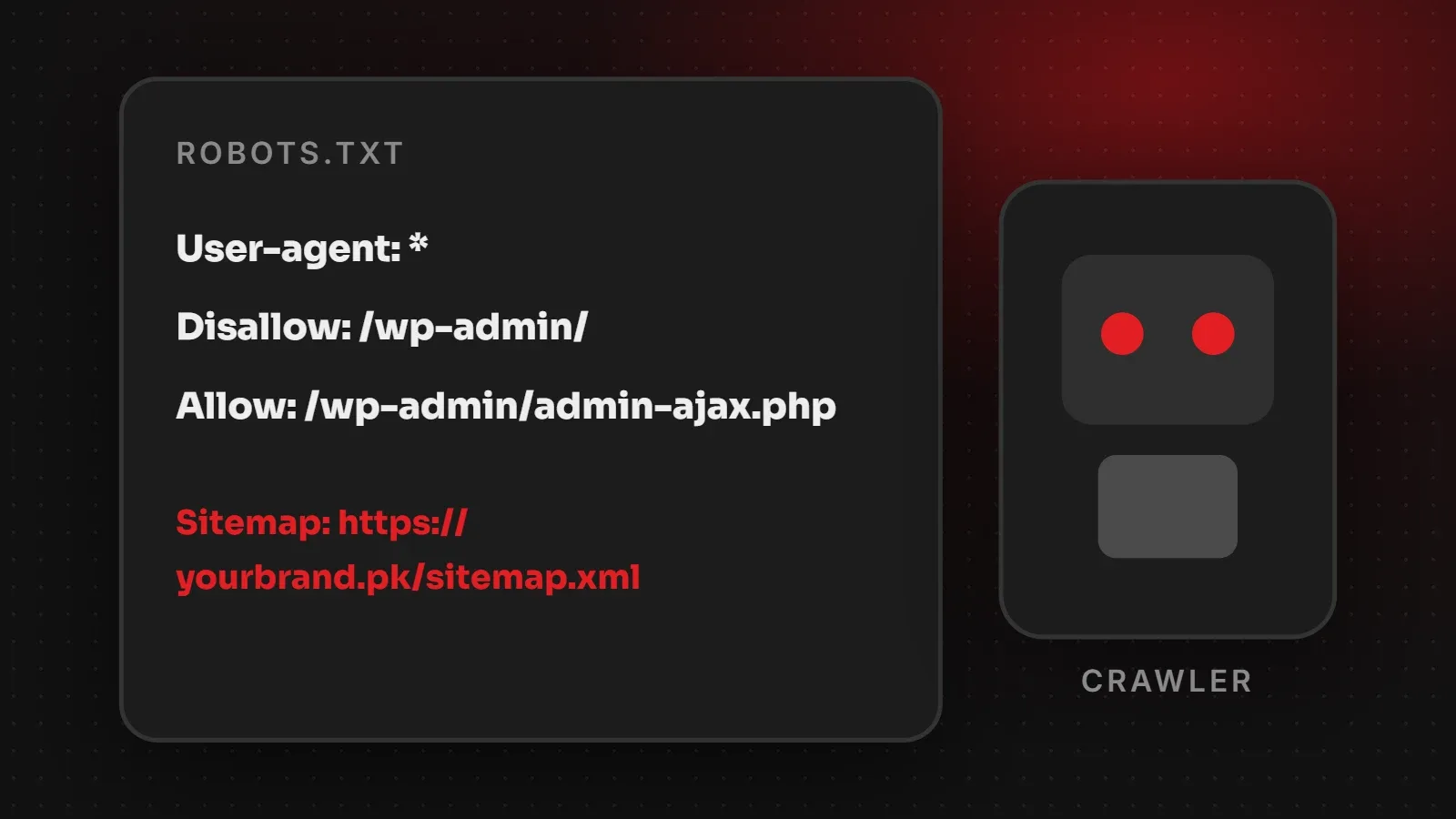
Typical WordPress site
User-agent: *
Disallow: /wp-admin/
Allow: /wp-admin/admin-ajax.php

Sitemap: https://yourdomain.com/sitemap_index.xml
Online store with internal search and cart pages
User-agent: *
Disallow: /cart/
Disallow: /checkout/
Disallow: /my-account/
Disallow: /?s=

Sitemap: https://yourdomain.com/sitemap.xmlCommon robots.txt mistakes
Disallow: /left in place after development, which blocks the entire site.- Using robots.txt to hide private pages. The file is public, so anyone can read which folders you list. Protect private areas with passwords instead.
- Blocking a page you want removed from Google. If Google cannot crawl it, it cannot see a noindex tag, so the URL may stay in results.
- Typos and wrong capitalisation, because paths are case-sensitive.
- Several conflicting files or plugins editing robots.txt.
robots.txt vs noindex: which to use?
| Goal | Use |
|---|---|
| Stop bots wasting time on admin, cart or filter URLs | robots.txt Disallow |
| Keep a page out of Google search results | noindex meta tag (and allow crawling) |
| Keep content truly private | Password protection or login |
How to check and test robots.txt
- Open
yourdomain.com/robots.txtin a browser to see the live file. - In Google Search Console, open Settings > robots.txt to see the version Google fetched and any errors.
- Use URL Inspection on an important page to confirm it is not blocked.
Google's official reference is the robots.txt introduction in Search Central.
Frequently asked questions
What is robots.txt used for?
It tells search engine crawlers which parts of a website they may crawl.
Does robots.txt stop a page from appearing on Google?
Not reliably. Use a noindex tag to keep a page out of search results.
Where is robots.txt located?
In the root of your domain: yourdomain.com/robots.txt.
Do I need a robots.txt file?
It is not required, but a simple one with your sitemap address is good practice.
Want your technical SEO checked?
If your site is missing from search, read why your website is not showing on Google and our sitemap guide. Our SEO team can audit robots.txt, sitemaps and indexing for you. Contact us.
Written by the ItsWebExpert team, a web design and development company in Karachi building websites, online stores and apps for businesses across Pakistan.
Ask a Question on WhatsApp