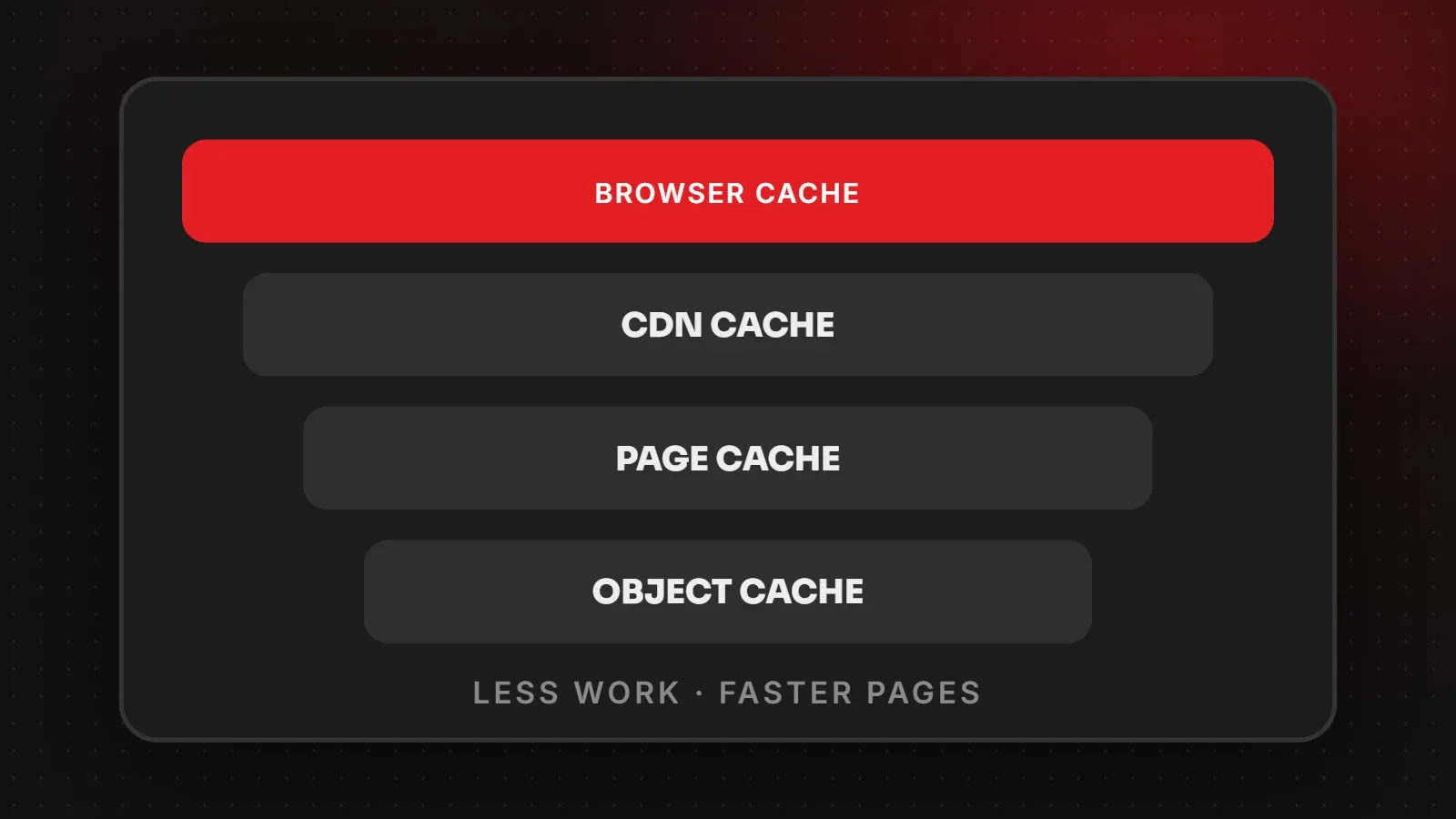
Website caching means saving ready-made copies of your pages and files so they can be delivered quickly, instead of being rebuilt or downloaded again for every visitor. The four main types are page caching on the server, browser caching on the visitor's device, object caching for database results, and CDN caching on servers around the world. Together they can turn a slow site into a fast one. This guide explains each type and how to set them up.
- Page caching gives the biggest speed boost for most WordPress sites.
- Browser caching makes repeat visits and page-to-page browsing faster.
- Never cache cart, checkout or account pages for online stores.
Why website caching matters
On a dynamic site such as WordPress, each page view normally runs PHP code and database queries before anything is sent. With caching, the server sends a saved HTML copy instead, often many times faster. As a result, the server responds sooner, handles more visitors, and your page load time drops.
The four types of website caching
| Type | Where it lives | What it speeds up |
|---|---|---|
| Page cache | Your web server | The HTML of whole pages |
| Browser cache | The visitor's browser | Images, CSS and JavaScript on repeat visits |
| Object cache | Server memory (Redis, Memcached) | Repeated database queries, useful for stores and logged-in users |
| CDN cache | Edge servers worldwide | Files (and sometimes pages) for distant visitors |
Page caching
The server stores the finished HTML of each page and serves it to the next visitor. On WordPress, use your host's built-in cache (for example LiteSpeed Cache on LiteSpeed servers) or a plugin such as WP Rocket or W3 Total Cache. Use only one page caching plugin.
Browser caching
Your server tells browsers how long to keep files using Cache-Control headers. Images, fonts and CSS that rarely change can be cached for months. Caching plugins and many hosts set this for you. See MDN's HTTP caching guide for the technical details.
Object caching
Object caching keeps the results of database queries in memory. It helps WooCommerce stores, membership sites and busy admin areas, where full-page caching cannot be used for every page.
CDN caching
A CDN stores copies of your files near your visitors. See what a CDN is and when you need one.
What not to cache
- Cart, checkout and account pages on online stores.
- Pages that show personal or logged-in content.
- Pages with forms that use one-time security tokens, unless your plugin handles them.
Most caching plugins exclude WooCommerce pages automatically, but always test a full order after setting up caching.
How to set up website caching on WordPress
- Check whether your host already provides server caching.
- Install one caching plugin that matches your server.
- Turn on page caching and browser caching.
- Enable object caching if your host offers Redis or Memcached.
- Test pages, forms and checkout, then measure the speed improvement.
For the full list of speed steps, see how to speed up a WordPress website.
Frequently asked questions
What is website caching?
Saving copies of pages and files so they load quickly without being rebuilt or downloaded again each time.
Does caching make a site faster?
Yes. Page caching in particular can greatly reduce server response time.
Why don't I see my changes after editing?
You are probably seeing a cached copy. Clear the plugin, CDN and browser caches.
Can caching break my website?
Wrong settings can break dynamic features such as carts or forms. Exclude those pages and test after setup.
Want caching set up safely?
Our speed and performance team configures page, object, browser and CDN caching without breaking forms or checkouts. Ask for a free speed check.
Written by the ItsWebExpert team, a web design and development company in Karachi building websites, online stores and apps for businesses across Pakistan.
Ask a Question on WhatsApp