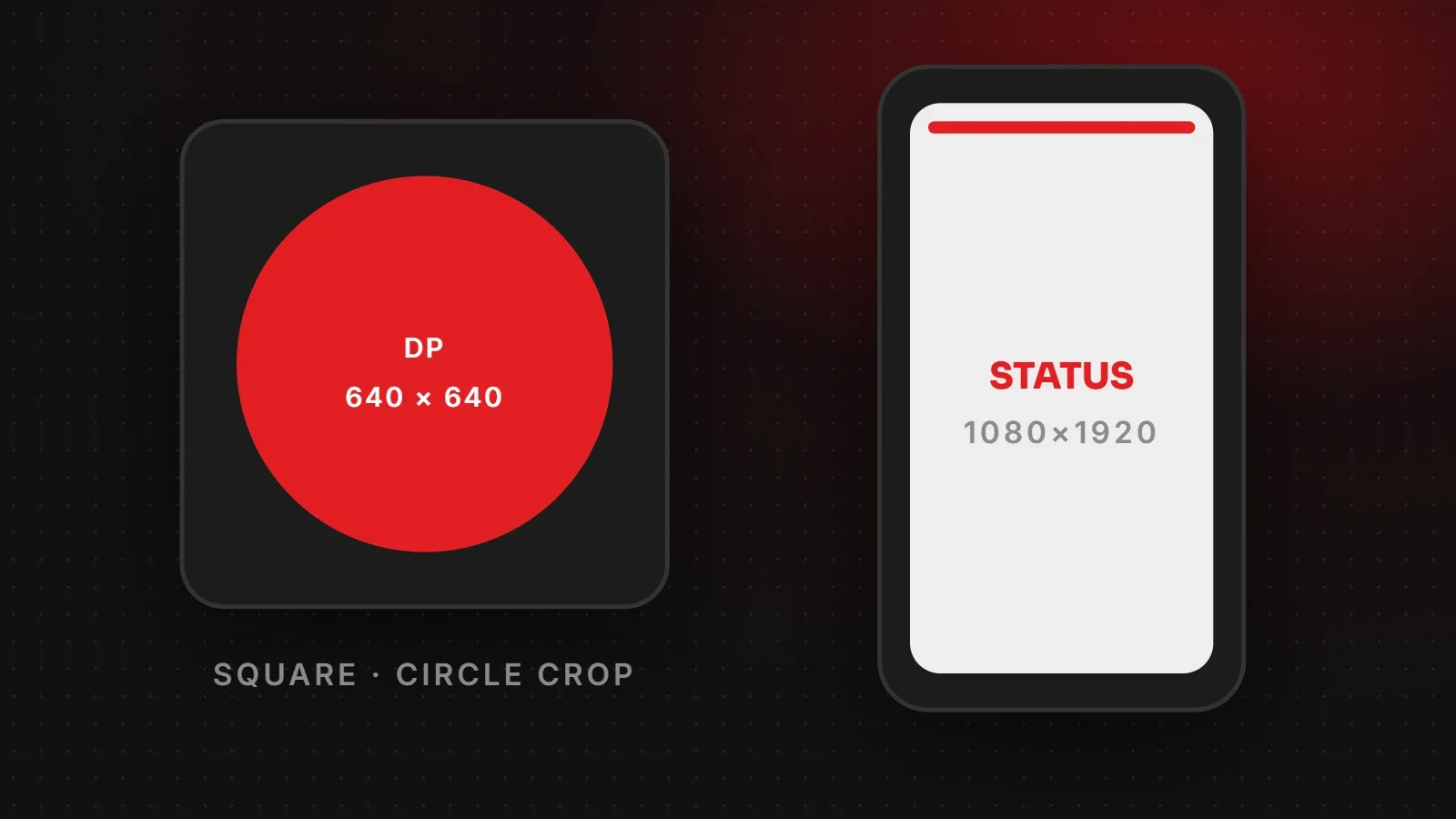
The best WhatsApp DP size is a square image of at least 640 x 640 pixels. WhatsApp shows your profile photo as a circle, so keep your face or logo in the centre. For WhatsApp Status, use a vertical 1080 x 1920 pixel (9:16) image or video. This guide explains both sizes, why WhatsApp crops and blurs photos, and how businesses can make their profile look professional.
- Upload a square DP of 640 x 640 pixels or larger, with the subject in the centre.
- Design WhatsApp Status at 1080 x 1920 and keep text away from the top and bottom edges.
- Use the HD option or send files as documents when quality matters.
WhatsApp DP size and other image sizes
| Image | Recommended size | Notes |
|---|---|---|
| Profile picture (DP) | 640 x 640 px or larger, square | Shown as a circle |
| Status (photo or video) | 1080 x 1920 px | 9:16 vertical |
| WhatsApp Business catalogue image | 1080 x 1080 px, square | Clean background works best |
| Website link preview | 1200 x 630 px | Comes from your site's og:image |
WhatsApp does not publish official pixel sizes. These figures are what designers use because they display cleanly in the app.
Why WhatsApp crops your DP
WhatsApp always shows profile photos as a circle. If you upload a rectangle, the app asks you to crop it to a square first, then cuts the corners off. As a result, anything near the edges disappears.
- Crop your photo to a square yourself before uploading, so you control what stays.
- Leave space around your face or logo. About 10 to 15 percent of empty space on each side is safe.
- For a logo, use the icon version rather than a wide logo with small text.
WhatsApp Status size
Status photos and videos fill the phone screen, so 1080 x 1920 pixels fits best. WhatsApp places your name and time at the top and the reply bar at the bottom. Therefore keep prices, phone numbers and offers in the middle of the image. Videos in a single Status have a time limit, so keep promotional clips short and put the main message in the first few seconds.
Why WhatsApp photos look blurry
- Compression: WhatsApp compresses photos to save data. When sending, choose the HD option for better quality.
- Send as a document when you need the original file, for example a design proof for a client.
- Low starting quality: photos that were already forwarded or screenshotted lose more quality each time.
- Wrong shape: horizontal photos used as Status get small with black bars, which looks blurry.
WhatsApp Business profile tips
- Use a logo DP on a solid brand-colour background so it is clear even when tiny.
- Fill in every profile field: business category, address, hours, email and website.
- Add a catalogue with square product photos, prices and short descriptions.
- Set up quick replies and a greeting message for common questions.
- Add a WhatsApp button to your website so visitors can message you in one tap.
When you share your website link in a chat, WhatsApp shows a preview image from the page. If it is missing, see our Open Graph image size guide. For other platforms, see our Instagram post size guide.
Frequently asked questions
What is the WhatsApp DP size?
Use a square image of at least 640 x 640 pixels. WhatsApp shows it as a circle.
How do I put a full photo as my WhatsApp DP without cropping?
Place the photo on a square canvas with plain space around it, then upload the square image. The whole photo will fit inside the circle.
What is the WhatsApp Status size?
1080 x 1920 pixels, a 9:16 vertical image or video.
How do I send photos on WhatsApp without losing quality?
Choose the HD option before sending, or send the photo as a document to keep the original file.
Want to use WhatsApp to get more customers?
We add WhatsApp chat buttons and order forms to business websites, and our social media team designs Status and catalogue graphics that match your brand. Talk to us about connecting your website and WhatsApp. You can also read the official WhatsApp Help Center for app settings.
Written by the ItsWebExpert team, a web design and development company in Karachi building websites, online stores and apps for businesses across Pakistan.
Ask a Question on WhatsApp