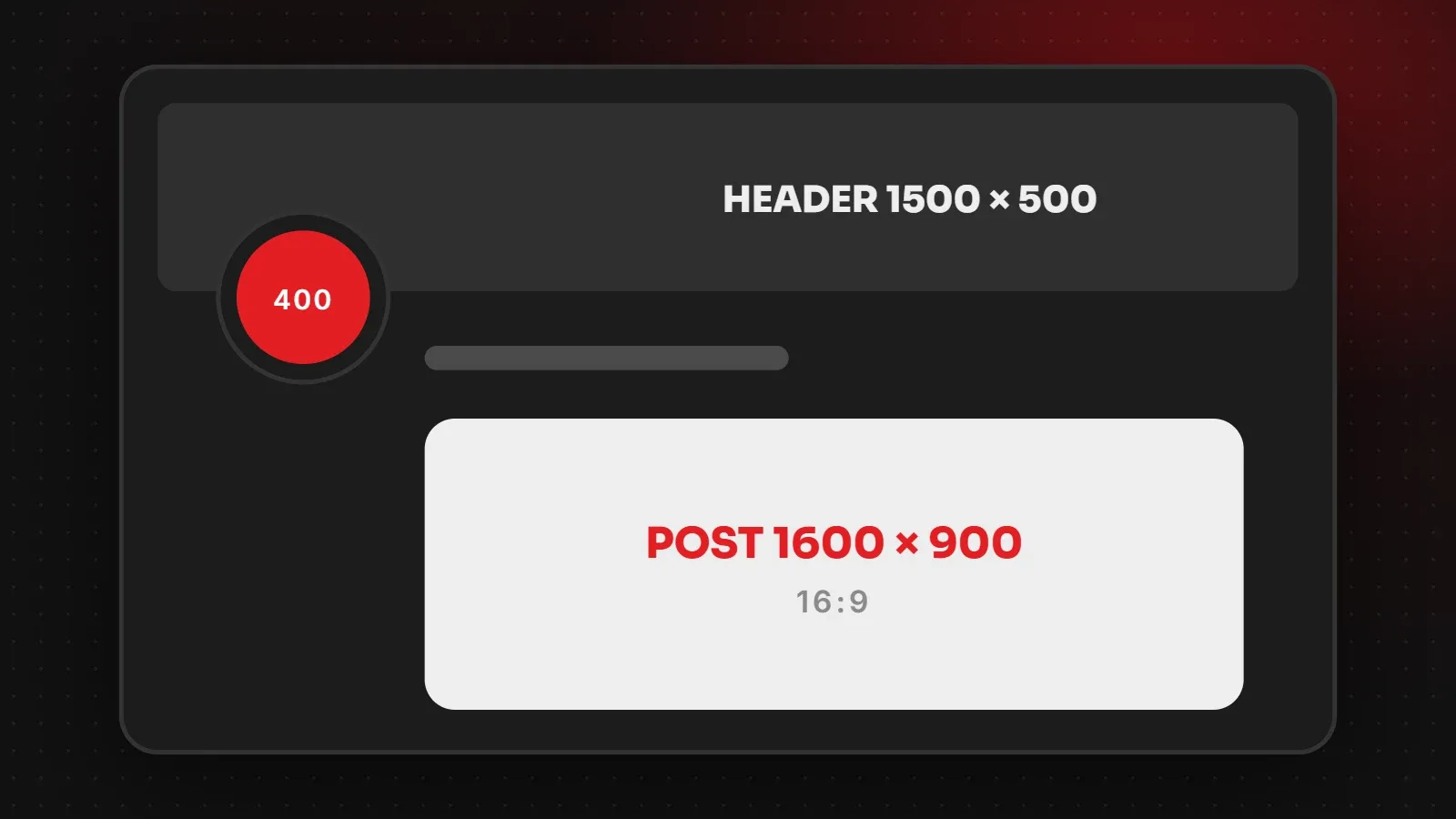
The main X (Twitter) image sizes are 1600 x 900 pixels (16:9) for single post images, 1500 x 500 pixels for the header, and 400 x 400 pixels for the profile photo. Link cards use a wide image of about 1200 x 628 pixels from your website's Open Graph tags. This guide lists every Twitter image size, explains how multi-image posts are cropped, and shows how to keep your images sharp.
- Use 1600 x 900 (16:9) for single images, or 1080 x 1080 for square posts.
- Design the 1500 x 500 header with your profile photo and mobile cropping in mind.
- Your website's share image controls how links look on X.
X (Twitter) image sizes chart
| Image | Recommended size | Notes |
|---|---|---|
| Single post image (landscape) | 1600 x 900 px | 16:9; 1200 x 675 also works |
| Single post image (square) | 1080 x 1080 px | 1:1 |
| Single post image (portrait) | 1080 x 1350 px | 4:5; may be cropped in some views |
| Header (banner) | 1500 x 500 px | 3:1 |
| Profile photo | 400 x 400 px | Shown as a circle |
| Link card (summary large image) | 1200 x 628 px | Set by your website's og:image |
| Photo file size | Under 5 MB | JPG, PNG or WebP |
X does not publish one official chart, and some guides suggest 1200 x 675 instead of 1600 x 900. Both are 16:9, so either works. Use the larger size if your design has small text.
X post image size
For a single image, 16:9 landscape fits the timeline neatly on desktop and mobile. Square and portrait images also display, and on mobile they take up more space. However, X sometimes crops taller images in the timeline preview, so keep faces and text near the centre.
How X crops posts with several images
- Two images: shown side by side, each cropped to a tall rectangle.
- Three images: one tall image on the left and two smaller ones stacked on the right.
- Four images: a two-by-two grid of smaller rectangles.
Viewers see the full image when they tap it. Therefore put the key subject in the middle of each picture, so the preview still makes sense.
X header size: 1500 x 500
The header appears behind your profile photo at the top of your profile. On phones it is cropped more tightly, and your round profile photo overlaps the lower-left area. For this reason, keep text and logos in the centre and right half, and leave the bottom-left free.
X profile photo size
Upload a square image of 400 x 400 pixels. It shows as a circle next to every post, so a simple logo mark or a clear headshot works best. Animated images are not supported for profile photos.
summary_large_image card type. See our Open Graph image size guide.Tips for better images on X
- Keep text large and short, since many people scroll quickly on phones.
- Add alt text to every image for accessibility. X has an option for this when you attach an image.
- Use PNG for graphics with text so edges stay sharp.
- Match your brand colours across X, LinkedIn and your website.
Frequently asked questions
What size should a Twitter image be?
1600 x 900 pixels (16:9) for a single landscape image, or 1080 x 1080 for square.
What is the X header size?
1500 x 500 pixels with a 3:1 ratio.
What is the Twitter profile picture size?
400 x 400 pixels, square. It appears as a circle.
Why is my image cropped on X?
X crops previews in the timeline, especially for tall images and posts with several images. Tap the image to see it in full, and keep key content in the centre.
Want a consistent look across every platform?
Our branding and creative team designs headers, profile images and post templates for X, LinkedIn, Facebook and Instagram. For more sizes, see our LinkedIn image sizes and Facebook image sizes guides. You can also check the official X Help Center.
Written by the ItsWebExpert team, a web design and development company in Karachi building websites, online stores and apps for businesses across Pakistan.
Ask a Question on WhatsApp